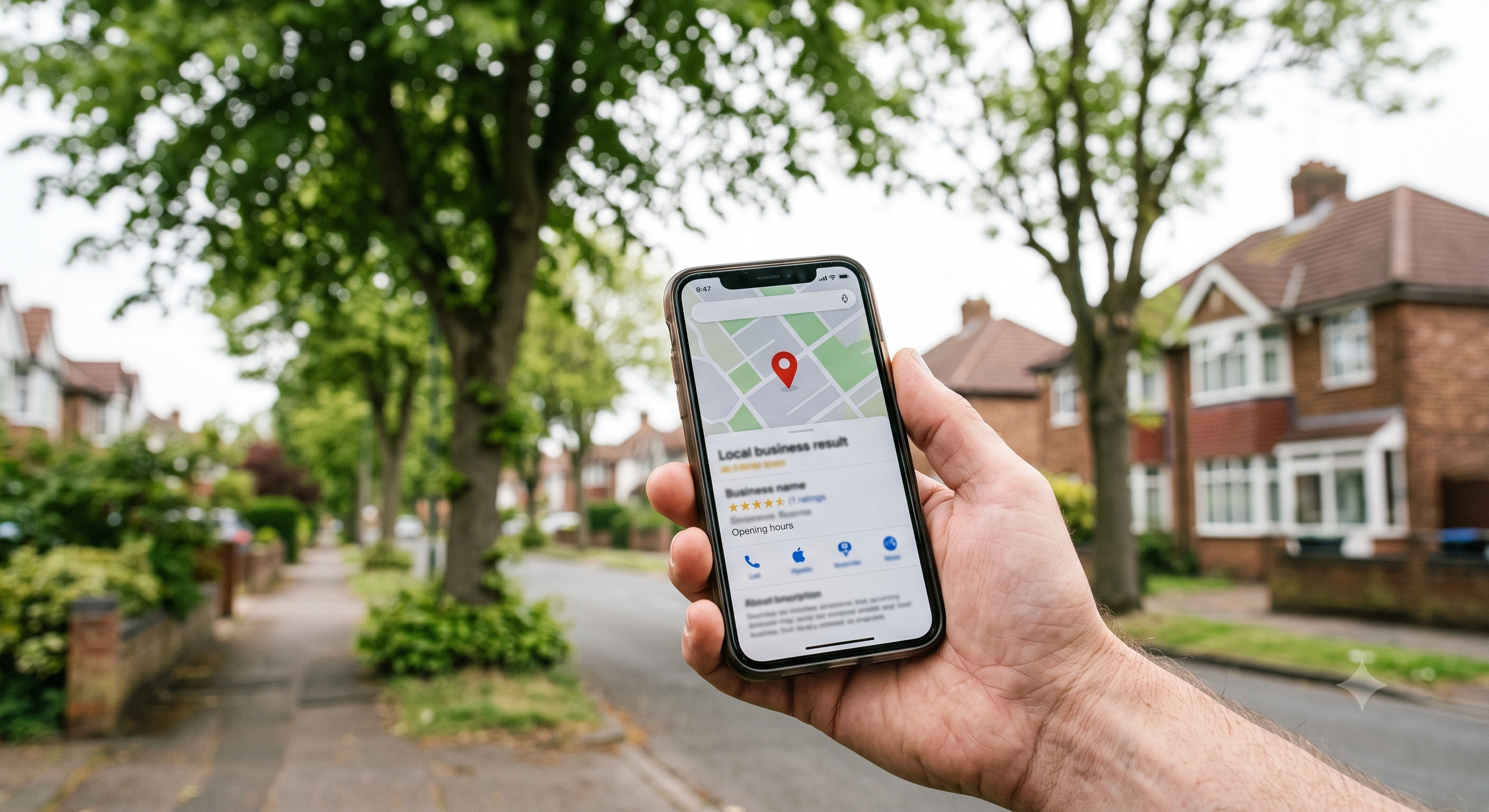
A Shropshire tree surgeon watched his mobile ring all morning in February 2026 whilst his competitor—whose work he knew was slower—landed three emergency storm-damage callouts within an hour. The difference wasn't the quality of service. It was a fully optimised Google Business Profile versus a neglected one with two photos and no reviews.
A Google Business Profile (GBP) is the single most effective free tool for tree surgeons to appear in local search results, generate phone calls, and win work within their service area. When properly configured, it places your business in the Google Maps pack—the three listings that appear above organic search results—and drives measurable enquiries without paid advertising.
Google Business Profile is Google's free platform that allows service-area businesses to manage their public listing across Google Search and Maps, including business information, photos, reviews, and direct messaging with prospective customers.
Key Takeaways
- 76% of local searches result in a phone call or site visit within 24 hours. For tree surgeons, this means GBP is where emergency callouts originate—not Facebook, not your website.
- Configure your profile as a "service area business" to hide your home address whilst maximising geographic reach across multiple postcodes
- "Tree service" as your primary category. Secondary categories like "Arborist" or "Stump grinding service" add keyword association without diluting the core signal
- Weekly posting of before/after photos and seasonal updates keeps your profile active in Google's eyes. Dormant competitor profiles rank lower, even with more reviews
- Review consistency matters more than volume. Five reviews posted steadily over twelve months outranks fifty reviews from two years ago
Why Do Tree Surgeons Need a Google Business Profile?
Most tree surgery enquiries begin during a crisis. A fallen limb blocks a driveway after a winter storm. A dangerous overhang threatens a neighbouring property. A homeowner needs an emergency TPO application before work can start. In these moments, customers search "tree surgeon near me" or "[town name] tree surgeon"—and Google's local algorithm decides whose number they call first.
That algorithm prioritises complete, active GBP listings in the Maps pack, the three results that appear above any website links. Your competitor's poorly maintained profile gets buried. Your optimised one gets the call. Here's the timing implication: a homeowner searching at 8am on a Monday typically expects a response by 9am. If your GBP shows your phone number prominently and has recent positive reviews, you win that race. If your profile is outdated, you lose it before you knew the enquiry existed.
Service-area businesses face a unique puzzle. Unlike a dental practice with a fixed address, you travel to client properties across multiple postcodes. Google's service-area configuration lets you define your coverage zones—county, district, or individual towns—without displaying your home address publicly. This protects privacy whilst keeping you visible in local searches across your entire operating region.
Your ranking visibility depends entirely on GBP optimisation. When a homeowner in Herefordshire searches for crown reduction services, Google ranks profiles by three factors: proximity to the search location, relevance (keywords in your business description and categories), and prominence (review count, star rating, and posting frequency). A neglected profile loses every time, regardless of actual workmanship quality. Your best work means nothing if no one sees your listing.
What is a Google Business Profile and how does it work for tree services?
Google Business Profile is a dashboard where you control how your tree surgery business appears across Google's ecosystem—Search, Maps, and the Knowledge Panel that appears when someone searches your business name directly. You add your business name, service areas, phone number, website, hours, and photos; Google displays this information to users searching for relevant services in your area.
For service-area businesses, Google's guidelines distinguish you from storefronts. You select "I deliver goods and services to my customers" during setup, then define geographic zones—postcode districts, towns, or entire counties—where you work. This hides your street address from public view whilst allowing Google to show your listing to searchers within those zones. The practical effect: Google's algorithm still knows where you're based (for proximity calculations), but customers don't see your home address or property details.
Real-time customer interaction happens through three channels. Questions & Answers lets prospective clients post queries visible to everyone—and your quick, professional responses convince fence-sitters to call. Reviews are public feedback with star ratings that build trust. Messaging enables direct private enquiries sent to your mobile, converting curiosity into conversation. Unlike paid directories or Facebook pages, GBP captures intent at the exact moment someone needs a tree surgeon, not casual browsers scrolling their feed.
What Are the Most Important Sections to Optimise for Tree Surgery Businesses?
Your business name must match your registered trading name or limited company name exactly. Google prohibits keyword stuffing—adding phrases like "Best Tree Surgeons Near Me Ltd" or "Affordable Arborist Services"—and will suspend profiles that violate this rule. If you attempt to game it, you lose the entire listing. Your legal name is what appears, full stop.
Business categories form the foundation of keyword association. Google allows one primary category and up to nine secondary categories. Your primary category must be "Tree service"—this exact phrase triggers your listing for the highest-volume search terms. Secondary categories such as "Arborist," "Stump grinding service," "Tree removal service," and "Landscape designer" expand your reach to more specific queries without diluting the primary signal.
Service area configuration determines where your listing appears geographically. Define areas by postcode districts (e.g., SY1, SY2, SY3 for Shrewsbury), town names (e.g., Ludlow, Bridgnorth, Church Stretton), or entire counties (Shropshire, Herefordshire). Google's algorithm uses these boundaries to decide when to show your listing; selecting too broad an area (e.g., "All of England") dilutes your local relevance signal and reduces ranking for specific town searches. Narrow beats wide.
| Configuration Element | Best Practice for Tree Surgeons | Impact on Rankings |
|---|---|---|
| Business name | Exact legal name only, no keywords | Suspension risk if violated; no ranking benefit from stuffing |
| Primary category | "Tree service" (exact match) | Triggers all high-volume tree-related searches |
| Secondary categories | "Arborist," "Stump grinding service," "Tree removal service" | Expands to niche queries without diluting primary signal |
| Service area scope | County or district level (not nationwide) | Stronger local relevance for town-specific searches |
| Address visibility | Hidden (service-area business) | Maintains eligibility whilst protecting home address |
Takeaway: Pair "Tree service" as primary category with a focused service area covering no more than two adjacent counties. This maximises local relevance without over-reaching into regions where you rarely work.
Should tree surgeons hide their address or show it on Google Business Profile?
Service-area businesses should hide their street address and display only their service zones. Google's platform offers this option explicitly for mobile operators like tree surgeons, plumbers, and electricians who do not serve customers at a fixed location. Your rankings don't suffer—Google still uses your registered address internally to determine proximity for local searches.
Consumer trust remains intact when you display a professional website, verified phone number, and numerous customer reviews. Most homeowners understand that tree surgeons work from vehicles and depots rather than shopfronts. That said, showing a residential address invites problems. Customers occasionally arrive unannounced. Competitors can identify your home location. For home-based operators, hiding the address whilst listing service areas (e.g., "Serving Shropshire, Herefordshire, and Mid Wales") strikes the balance between transparency and privacy. If you operate from a visible commercial yard with signage and customer parking, showing the address adds credibility—but this applies to fewer than 5% of sole traders and small firms.
What business categories should tree surgeons choose on Google?
"Tree service" as primary is non-negotiable. Google assigns the highest keyword weight to the primary category, and "Tree service" is the only exact match for the core search terms that drive tree surgery enquiries. Selecting a vaguer category like "Landscape designer" or "Garden centre" as primary dilutes your relevance for "tree surgeon" searches and lowers your Maps pack ranking.
Secondary categories extend your reach to adjacent services. Choose categories that reflect actual work you perform regularly: "Arborist" for consultancy and TPO applications, "Stump grinding service" if you offer that separately, "Landscape designer" if you handle garden redesigns post-tree removal, and "Tree removal service" for felling work. Google allows up to ten categories total, but stop at five or six—over-selecting creates confusion rather than breadth.
Category selection directly impacts which search queries trigger your listing. A profile with "Tree service" (primary) and "Stump grinding service" (secondary) appears for both "tree surgeon Shrewsbury" and "stump grinding Shrewsbury." A profile with only "Tree service" may rank lower for the stump-grinding query because Google sees less category relevance. Test your combinations by searching your service area + each service type and noting which competitors appear in the Maps pack.
How Should Tree Surgeons Write Their Google Business Profile Description?
Your business description has a 750-character limit and appears below your business name in search results and the Knowledge Panel. The first 250 characters matter most—mobile devices truncate descriptions, and users skim quickly. Lead with your core services and geographic coverage: "Professional tree surgeons serving Shropshire and Herefordshire. Specialising in crown reduction, tree felling, stump grinding, emergency storm damage, and TPO applications. NPTC-qualified, £10 million public liability insured."
Service specificity drives relevance and triggers more search queries. Instead of writing "we handle all tree work," list exact services: crown reduction, crown thinning, pollarding, tree felling, sectional dismantling, stump grinding, hedge trimming, and emergency callouts. Each phrase is a potential search term a customer might use. Mentioning TPO applications signals expertise to homeowners dealing with conservation areas, whilst "emergency storm damage" captures urgent searches during bad weather when customers need you most.
Work your service area into natural sentences rather than cramming town names into lists. "Based in Shrewsbury, we serve Ludlow, Bridgnorth, Church Stretton, and surrounding areas within 25 miles" embeds geographic signals that Google's algorithm associates with local searches. Avoid keyword stuffing—phrases like "best cheap affordable tree surgeon near me Shropshire" trigger spam filters and tank your ranking instead of improving it.
How long should a tree surgeon's business description be?
Google allows 750 characters maximum. Optimal length sits between 500 and 650 characters—enough room for service detail and geographic coverage without filler that muddies your message. Mobile users see only the first 250 characters before tapping "more," so structure as a pyramid: essential information first, supporting details second, differentiators (certifications, insurance, years operating) last.
Your opening sentence must contain your primary keyword and location. "Tree surgeons in Shropshire specialising in emergency storm damage, crown reduction, and TPO applications" answers the user's search immediately. Compare that to "Welcome to our tree surgery business, where we pride ourselves on excellent customer service"—which wastes 100 characters on filler adding no search value.
Readability comes first. Write natural sentences, not keyword strings. "We're NPTC-qualified arborists with 15 years' experience across Shropshire, Herefordshire, and Powys, handling everything from hedge trimming to dangerous tree removal" flows smoothly whilst embedding location and service terms. Keyword dumping—"Tree surgeon tree removal Shropshire Herefordshire hedge cutting stump grinding"—reads like spam and erodes customer trust before they even call.
Want to win the map pack?
Get found on Google locally
We set up and optimise Google Business Profiles for UK tree surgeons so local homeowners find you first. Book a free strategy call.
What Posts, Photos, and Updates Generate the Most Leads for Tree Surgeons?
Before/after photos drive more engagement and trust than any other content type. A dangerous leaning oak photographed before sectional dismantling, then again with a clean garden afterwards, demonstrates capability instantly. Captions matter: "Crown reduction on mature beech, Ludlow" or "Emergency storm damage clearance, Church Stretton" embed location and service terms that Google indexes for search. Users scroll your photo gallery before reading reviews—a single compelling image pair can tip the decision toward calling you.
Seasonal posting aligns with demand cycles. Autumn storms trigger emergency callout searches; post photos of wind-damaged removal with captions emphasising 24-hour availability. Winter brings dead-wood removal demand; share thinned crowns with explanations of how winter work minimises bleeding in deciduous species. Spring growth means formative pruning content and garden redesigns perform well. Summer hedge-trimming season calls for shaped hedgerow photos with BS3998 standard mentions. Posting when customers are actively searching—not evenly throughout the year—captures intent when it peaks.
Google Posts appear directly in your Knowledge Panel for seven days (or until an event date passes). Use them for time-sensitive offers, weather alerts, and availability updates. During February 2026 storms, tree surgeons posting "Emergency callouts available—response within 2 hours" captured searches from homeowners needing urgent help. Photos with posts receive 40% more clicks than text-only posts, according to Google's own service business guidance.
How often should tree surgeons post updates to their Google Business Profile?
Weekly posting signals active management to Google's algorithm and keeps your profile fresh in users' view. Businesses posting at least once weekly rank higher in local results than identical competitors with matching review counts but no recent posts. Batch-photograph jobs during busy weeks, then schedule posts through the GBP dashboard during slower periods—consistency matters more than spontaneity.
Event posts suit seasonal offers and weather-triggered services. Create an event for "Winter tree health inspections—20% off through March" with defined dates; Google displays these prominently in the Knowledge Panel and removes them automatically when expired. This keeps your profile current without manual deletion. Event posts excel for time-limited windows: "Storm damage clearance—evening and weekend slots available this week."
Real-time updates during storms or surging demand capture immediate intent. When the Met Office issues weather warnings, post within hours: "Preparing for Storm Henk—emergency callout team on standby, book now to secure a slot." Homeowners searching "emergency tree surgeon" during bad weather see your post above static profile content. These require no advance planning—write directly from your phone whilst managing the situation.
How Do Reviews and Ratings Impact Tree Surgeon Visibility on Google?
Review velocity—how quickly you accumulate new reviews—matters more than total count. Thirty reviews across six months outranks fifty reviews all written two years ago. Google reads recent consistent reviews as proof of current activity and service quality. Stale reviews without new additions suggest a dormant or failing business.
Your response strategy affects both rankings and conversions. Google favours profiles where the business owner replies to reviews, positive and negative alike. A thoughtful reply to negative feedback—"We're sorry the hedge trimming timing didn't suit your schedule; we've noted this and will confirm windows more clearly in future"—demonstrates professionalism to prospects reading reviews before booking. Ignoring negative reviews signals either poor service or an unmonitored profile.
Review generation must comply with Google's policies. You may request reviews via email, SMS, or in-person after job completion. You cannot offer incentives (discounts, free services, prize draws), use review gating (asking only customers you think will praise you), or post fake reviews yourself or through employees. Violations trigger removal or profile suspension—and competitors report non-compliant tactics.
Can tree surgeons ask customers for Google reviews?
Yes. Google explicitly permits direct review requests. After completing a job, send an email or text with a link to your Google Business Profile review page, asking satisfied customers to share their experience. This is standard across service industries and violates no platform rules.
Prohibited tactics include incentives (£10 off next service for a review), review gating (only asking customers you expect to give five stars), and fake reviews (written by you, family, or friends for work never performed). Google's algorithm detects patterns consistent with fraud—multiple reviews from the same IP, identical phrasing across several, or sudden spikes of five-star reviews within 24 hours—and removes them whilst potentially suspending your profile.
Timing maximises response. Request a review immediately after job completion, whilst the customer is surveying their cleaned garden and satisfied. Text or email with a direct link: "Thanks for choosing us for your tree work today. If you were happy with the service, we'd appreciate a quick review here: [link]." Requests sent within two hours see 60–70% higher response rates than those sent the following week.
What Metrics Should Tree Surgeons Track to Measure Google Business Profile Success?
Google Business Profile Insights—your analytics dashboard—shows how customers find and interact with your listing. The "How customers search for your business" metric splits searches into discovery (users searched "tree surgeon Shropshire" and found you) and direct (users searched your business name specifically). High discovery volume means you rank well for service terms; rising direct searches signal growing brand recognition.
Action metrics reveal conversion. Track phone calls (users tapped your number), website clicks (users visited your site from the GBP), direction requests (users opened Maps to your service area), and message sends (users started a chat via GBP). These four actions represent genuine lead intent. Someone clicking for directions or calling your number is far more valuable than a profile view.
Competitor comparison within Insights reveals your performance against similar local businesses. Google anonymises identities but shows relative performance: "You received 40% more calls than similar businesses this month." Consistently underperforming competitors signals optimisation problems—weak categories, sparse photos, infrequent posting. Outperforming them validates your strategy.
| Metric Type | What It Measures | Actionable Insight |
|---|---|---|
| Discovery searches | Users found you via "tree surgeon [location]" | High volume = strong local ranking; low volume = category or service area issue |
| Direct searches | Users searched your business name | Rising trend = word-of-mouth and brand recognition growing |
| Phone calls | Taps on phone number in listing | Highest-intent action; track weekly to correlate with posting frequency |
| Website clicks | Visits to your site from GBP | Indicates users want more detail before committing; ensure site loads fast on mobile |
| Direction requests | Users opened navigation to your location | Common for businesses showing an address; less relevant for service-area setups |
| Photo views | Users opened your photo gallery | High engagement metric; upload new photos weekly to maintain interest |
Here's the thing: Phone calls and website clicks are the only metrics directly tied to revenue. Prioritise optimisations—posting frequency, review generation—that increase these two actions over vanity metrics like total views.
Conversion tracking connects GBP leads to actual booked jobs and revenue. Use call-tracking software or ask every new enquiry "How did you find us?" during the booking process. If 15 customers per month report finding you via Google Search or Maps, and your GBP Insights shows 45 phone calls, your conversion rate is 33%. That means two-thirds of callers either didn't book or were price-shopping. Track this over time to see whether profile optimisations—better photos, more reviews, clearer description—improve conversion beyond just increasing call volume.
How can tree surgeons see what keywords people use to find them?
Your Google Business Profile account includes a section called "How customers search for your business" within the Insights dashboard. This report lists the exact search queries that led users to your profile, split into discovery searches (generic terms like "tree surgeon near me") and branded searches (your business name). Google displays the top 10–15 queries by volume, giving you a clear picture of which keywords drive the most visibility.
Discovery versus direct search volume reveals your market position. A profile with 200 discovery searches and 20 direct searches per month captures new customers primarily through generic service terms—strong for growth but suggesting low brand recognition. One with 50 discovery searches and 150 direct searches relies heavily on repeat customers and word-of-mouth. Loyal base, yes. Limited new customer acquisition, also yes. Most tree surgeons should aim for discovery searches to outnumber direct by at least 2:1, though the ideal balance depends on your business age and growth goals.
Keyword gap analysis identifies opportunities competitors rank for that you don't. If your Insights show "tree surgeon Shrewsbury" but not "crown reduction Shrewsbury" or "stump grinding Shrewsbury," your secondary categories or description likely lack those specific service terms. Add "Stump grinding service" as a secondary category and include "crown reduction" in your description, then monitor whether those keywords appear in your search query list within four to six weeks.
Published by Tree Surgeon Leads UK, a specialist marketing and lead generation agency working with UK tree surgeons.
Frequently Asked Questions
Do tree surgeons need a physical office to have a Google Business Profile?
No. Service-area businesses operating from home or mobile-only can create a Google Business Profile without a public-facing office. During setup, select "I deliver goods and services to my customers" and hide your street address. Google still verifies your business via postcard or phone to your registered address, but that address remains private and does not appear in search results or Maps.
Can tree surgeons serve multiple counties on one Google Business Profile?
Yes—you can define multiple service areas covering several counties, districts, or towns on a single profile. Google allows up to 20 service areas per profile. Still, selecting too broad a region (say, "All of England") dilutes local relevance and reduces your ranking for specific town searches. Most tree surgeons see stronger results by focusing on two or three adjacent counties where they actively work, rather than over-reaching.
How long does it take for a tree surgeon's Google Business Profile to rank?
Verification itself takes 5 to 14 days—Google sends a postcard with a verification code to your registered address, or offers phone verification for some businesses. Once verified, your profile appears immediately in search results, but ranking in the top three Maps pack results (the local pack) depends on three factors. First: profile completeness—photos, description, categories filled. Second: review accumulation; aim for at least 10 reviews within the first two months. Third: citation consistency—your business name, address, and phone number matching across your website, directories, and GBP. Most tree surgeons see noticeable ranking improvements within 8 to 12 weeks of active optimisation.
What should tree surgeons do if their Google Business Profile gets suspended?
Contact Google Business Profile support immediately through the dashboard help section to request a review. Common suspension triggers include keyword stuffing in the business name ("Best Tree Surgeons Shropshire Ltd"), fake reviews detected by Google's algorithm, or address inconsistencies between your GBP and your website. Prepare documentation proving you operate a legitimate business—business registration, insurance certificate, recent invoices—and submit it through the reinstatement request form. Reinstatement typically takes 3 to 10 business days if you resolve the underlying violation.
How many photos should a tree surgeon upload to their Google Business Profile?
Aim for at least 30 photos covering a variety of job types, equipment, and team members. Profiles with 20 or more photos receive significantly more clicks and calls than those with fewer than five. Upload new photos weekly—before/after job pairs, seasonal work, and equipment shots—to signal active management. Google prioritises recently uploaded photos in your gallery display, so fresh content appears first to users browsing your profile.
Should tree surgeons pay for Google Ads if they already have an optimised Business Profile?
An optimised Google Business Profile generates organic leads at no cost, but Google Ads (pay-per-click) can supplement during high-demand periods or competitive markets. If your profile already ranks in the top three Maps pack results for your primary keywords, additional ad spend may not deliver strong ROI. However, if you're still building reviews and ranking fourth or lower, targeted ads for high-intent searches like "emergency tree surgeon [town]" can fill the gap whilst your organic visibility improves. Most tree surgeons test ads seasonally—running campaigns during autumn storms when demand spikes—rather than year-round.